Appearance
API Guide
However you are interacting with the API there are some universal ways of doing things which are defined below.
Coordinate system & side definitions
Throughout the process we need to be able to refer to sides and directions, while catering for part rotation.
For our x and y coordinate system, y increases as you move up.
The side labels are used throughout. L indicates stock length if used as a direction or the longer side. W indicates stock width (shorter side) if used as a direction or the shorter side.
Stock
- Stock is always arranges with the long sides horizontally. Stock never rotates.
- Longer sides are labelled L1 and L2.
- Shorter sides are known as the width and labelled W1 and W2.
- Adding trim to stock.trim.l1 will trim moving in from the bottom side, reducing the width of the stock.
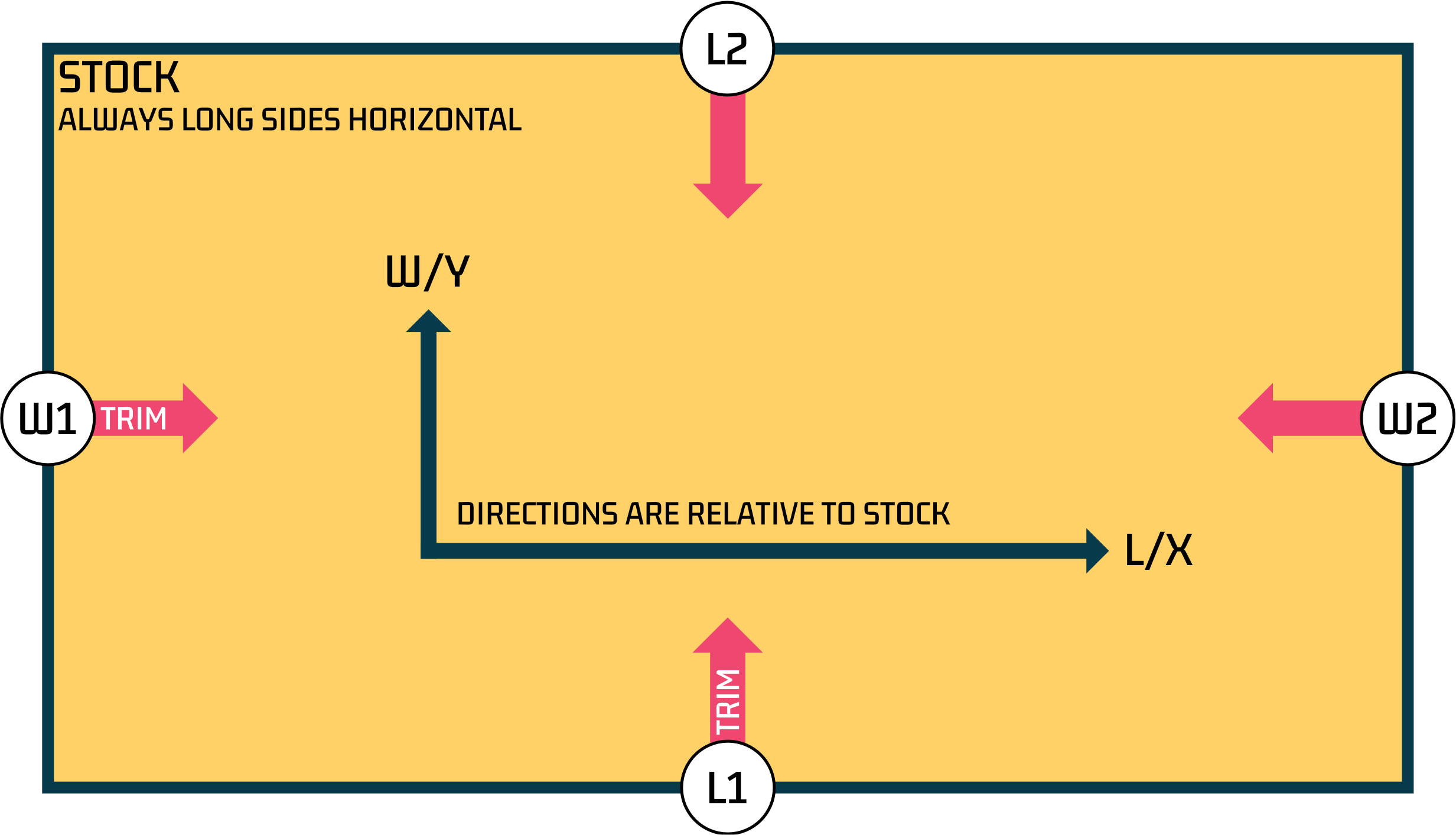
Stock
- Parts can rotate, but as the L1,L2,W1,W2 sides refer to the longer and shorter sides these values do not change with rotation.
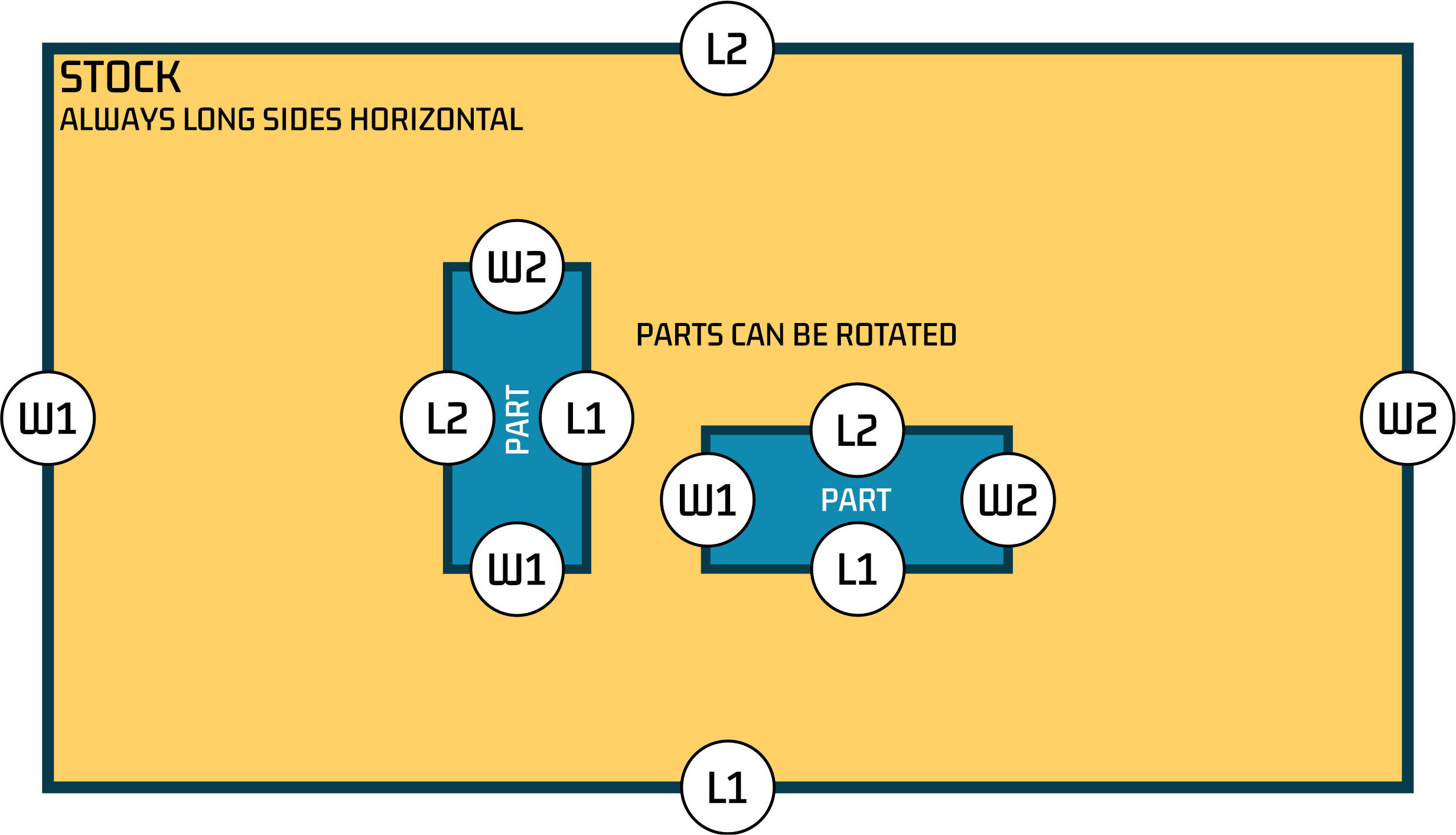
Orientation models
To suit various local conventions for defining part orientation we support different orientation models. These define how part rotation is defined and how sides are labelled.
Model 0 (default, used by API)
- Model 0 is used by the API.
- For model 0, the part orientation is defined by the orientationLock property on the part. The values for part.l and part.w DO NOT affect rotation.
- orientationLock = 'l' means the longer side of the part is aligned with the longer side of the stock (this is horizontal on our diagrams).
Model 1 (can be used by UI)
- Orientation is controlled by the values in the 'length' / 'l' and 'width' / 'w' properties of each part.
- The part is rotated so that the side defined by the 'l' property is aligned with the longer side of the stock.
- Clicking the rotation button allows for free rotation, overriding the l/w defined orientation.
- Sides are not mapped in outputs.
Model 1 (can be used by UI)
- Orientation is controlled by the values in the 'length' / 'l' and 'width' / 'w' properties of each part.
- The value used in the 'length' / 'l' property determines the grain dimension.
- Clicking the rotation button allows for free rotation, overriding the l/w defined orientation.
- Banding L values match L column values
- L and W columns are updated in exports to match local expectations (e.g. CSV ouput)
- Sides are not mapped in outputs.
Use of sides (L1,L2,W1,W2)
Please note when sides are defined directly (for example banding.sides or trim) - this will always use our internal definition of L1,L2,W1,W2 regardless of orientation model (as shown in the diagrams above).